Profanity Filter for Shopify Video Reviews: A Practical Guide

A profanity filter for video reviews checks what customers say and show in a clip, then holds or flags anything that breaks your rules before it goes live on a product page. Text filters are simple: they match a word list. Video is harder, because the bad word may be spoken, captioned, or printed on a T-shirt in the background. This guide explains what the technology can and cannot catch, and how to build a moderation routine on Shopify that protects your brand without turning into review suppression.
TL;DR
- Video needs two checks: one for speech (transcribed audio) and one for on-screen text. A speech-only filter misses anything written in the frame.
- Automatic filters make mistakes in both directions. Accents, background noise and poor microphones all change accuracy, so a human should make the final call on flagged clips.
- Moderate against written rules, apply them equally to positive and negative reviews, and keep a log of every rejection and the reason.
- The safest setup for most stores is pre-publication approval with a short checklist, not a blacklist that quietly deletes things.
- Peers is a Shopify app that puts post-purchase video reviews and shopper Q&A on your product pages, with moderation tools so you decide what appears.
Table of Contents
- What a profanity filter does to a video review
- Where automatic filtering gets it wrong
- Why timestamps and human review belong together
- The rules that matter more than the filter
- A moderation workflow you can set up this week
- Perspective: filter less, verify more
- Where video reviews fit in your store
- How Peers handles moderation
- FAQ
- Sources
What a profanity filter does to a video review
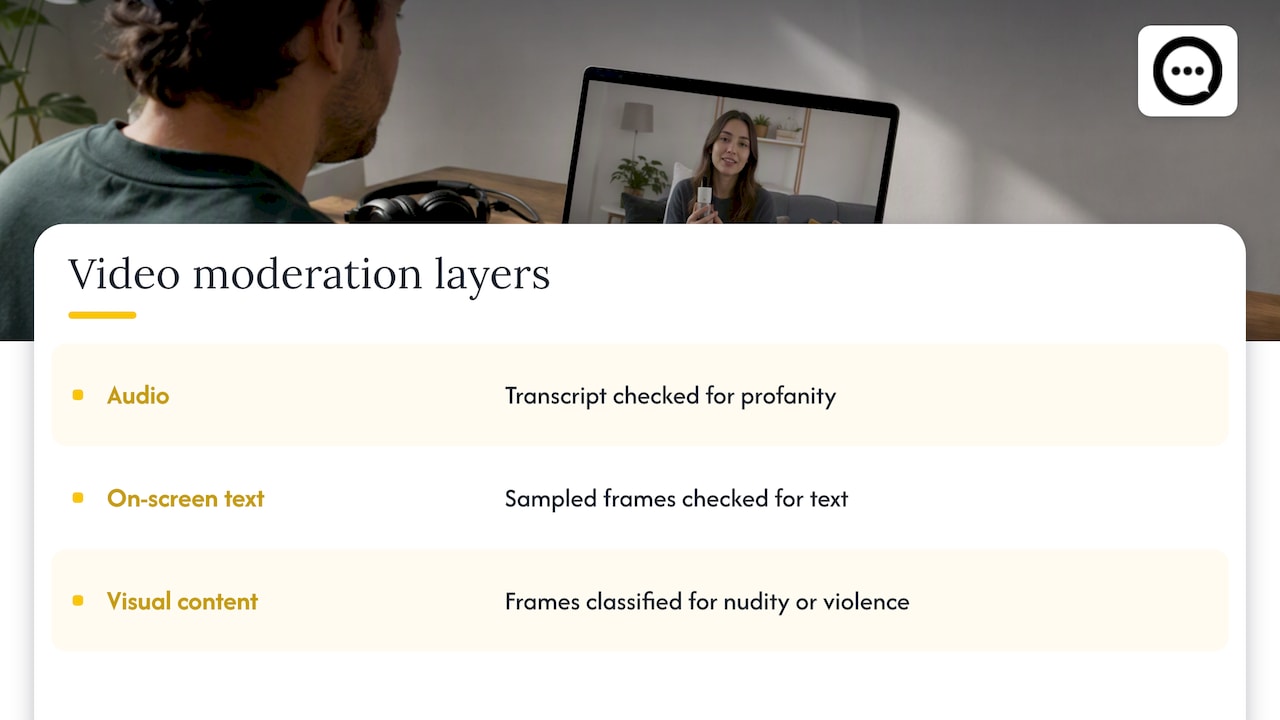
In a text review, a filter scans the string for blacklisted words and either replaces letters with asterisks or hides the whole review. That logic has been around for years in review tools. Video adds layers, and each layer needs its own detector.
Audio. The tool transcribes the soundtrack into text, then runs the transcript against a profanity list or a toxicity model. Cloudinary’s moderation documentation describes this transcript check and notes that it listens to the audio rather than inspecting visuals.
On-screen text. Captions, overlays, handwritten signs and printed packaging show up only in the picture. The same documentation explains that profanity in captions or other visible text is found by sampling frames, which means a speech check alone leaves a gap.
Visual content. Separate from language, some systems also classify frames for categories such as nudity or violence. Echosaw, a video moderation vendor, describes a multimodal process in which frames are checked visually while the audio track becomes a transcript checked for profanity, with confidence scores and timestamps attached to findings.
For a Shopify store, the practical takeaway is simple. When you evaluate any tool that claims to filter video reviews, ask which of these layers it covers. “Profanity filter” on a feature list often means text reviews only.
Where automatic filtering gets it wrong
A filter is a screening step, not a judge. Three limits matter for a store owner.
Transcription errors create false flags
Speech-to-text can turn harmless speech into something it never was. AWS, in its service documentation for toxicity detection, warns that transcription can introduce inappropriate words into benign speech and suggests human review to check for transcription errors. Media coverage has shown the same pattern at scale: adult words appearing in auto-captions on children’s YouTube videos.
In a review context, this means a customer who says “this is the best shoe I’ve ever worn” could, on a bad day, be flagged for something they never said. Reject on the strength of a transcript alone and you may discard a perfectly good testimonial.
Accuracy depends on the recording
Customer videos are shot on phones, in kitchens, cars and hallways. AWS notes that audio toxicity detection is highly context-dependent, with performance varying by microphone quality, background noise and dialect, so a single accuracy figure can mislead. A filter tuned on clean studio audio may stumble on a customer with a regional accent filming near a vacuum cleaner.
Context is invisible to a word list
A word list cannot tell a quoted insult from an aimed one, or a mild expletive of delight (“this blender is damn good”) from abuse of another shopper. Whether a mild expletive is acceptable is a brand decision, not a technical one. Decide it in writing before you switch anything on.
Why timestamps and human review belong together
The most useful thing a filter can give you is not a verdict but a location. AWS recommends human review where appropriate and says timestamps help moderators listen to the flagged segments and verify detections. Echosaw makes the same operational point: a reviewer can jump to the flagged moment instead of watching a whole clip.
For reviews that run 15 to 60 seconds, you can often just watch the whole thing. The time cost of human review is small at the volume most Shopify stores see. The case for automation grows when you collect hundreds of clips a week, and even then it should sort the queue, not empty it.
The rules that matter more than the filter
The larger risk for most stores is not a swear word on a product page. It is moderating in a way that looks like hiding bad news. Profanity rules and review-honesty rules are different things, and they must stay separate.
What the FTC rule means in practice
In August 2024 the Federal Trade Commission announced a final rule banning fake reviews and testimonials, including AI-generated ones and reviews from people with no real experience of the product, and allowing civil penalties against knowing violators. Read the rule text and your own legal advice for the full scope. The working principle for a merchant is straightforward: moderate for conduct (abuse, hate speech, personal data, off-topic content), never for sentiment.
That means a one-star video that says your zipper broke in a week stays up if it is polite. A five-star video that includes a slur comes down. Same rule, both directions.
Disclosure helps buyers and protects you
Regulators elsewhere are explicit about transparency. Finland’s consumer authority says businesses publishing reviews should tell consumers whether they check that reviewers actually bought or used the product and how authenticity is ensured, and that they need justified reasons to reject, edit or delete reviews. That is a Finnish rule, not a US one, but it is a sensible template for any store that sells internationally or just wants to be straightforward. A one-line note near your reviews (“Reviews come from verified buyers. We remove content only for abusive language, personal information or off-topic material.”) does the job.
Keep a log
The UK government’s draft compliance advice for businesses suggests documenting the signals and the reason behind each rejection in a permanent record and making your moderation policy public. It also suggests that a legitimate review with a minor problem might be answered publicly or returned to the customer to resubmit, rather than simply suppressed. The guidance is British, but the habit travels well. A spreadsheet with date, order number, reason and reviewer is enough.
A moderation workflow you can set up this week
Here is a workflow that works for a typical Shopify store. Our own longer walkthrough on moderating video reviews and meeting FTC rules goes deeper, but the skeleton is this.
- Write the policy first. One page, plain language. List what gets removed: slurs, threats, explicit content, personal data such as addresses or phone numbers, competitor promotion, and clips unrelated to the product. List what never gets removed: criticism, complaints about shipping or sizing, and mild frustration.
- Decide your tolerance for mild language. Pick one line (for example, mild expletives are fine, targeted insults are not) and write it into the policy so every moderator makes the same call.
- Hold new clips for approval. Pre-publication review beats cleaning up afterward, especially in the first weeks when you do not yet know what your customers submit.
- Check three things on each clip. Listen for spoken language, scan the frame for visible text or products you do not want shown, and confirm the reviewer is a real customer by matching the order.
- Respond, do not just delete. If a review is genuine but contains one problem, ask the customer to re-record or reply publicly. Outright rejection is for content that breaks your written rules.
- Log every decision. Date, reason, and who decided. Review the log monthly for patterns, such as one rule being applied mostly to negative reviews, which is a red flag you should fix.
Privacy sits next to profanity in this process. A clip can be perfectly polite and still show a child’s face, a house number or a shipping label. Our guide to four privacy checks before customer videos go live covers that side.
Perspective: filter less, verify more
We built Peers for Shopify stores only, and our view is shaped by that focus. Most merchants who ask about profanity filters are really asking a different question: how do I put real customers on my product page without worrying about what they will say?
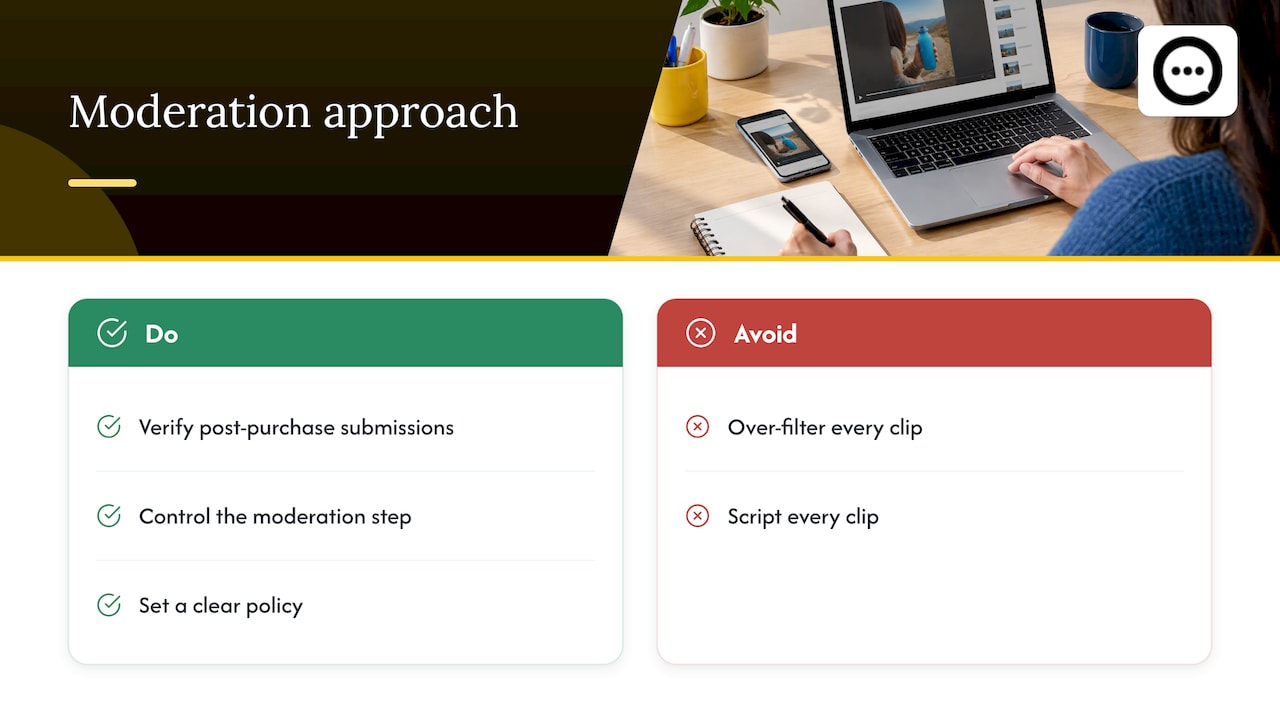
Our answer is that the strongest protection is not a smarter blacklist. It is the combination of verified post-purchase submissions, a moderation step you control, and a clear policy. When every clip comes from someone who actually bought the product, spam, trolling and fake content shrink to a trickle, and what remains is a short queue a person can watch in minutes.
We also think over-filtering is a bigger commercial mistake than under-filtering. A shopper deciding on a $90 purchase wants to see someone unpolished and honest. Sanding every clip down to a script removes the reason video works. Moderate for safety and honesty, and let the rest of the personality through.
— Leo
Where video reviews fit in your store
Moderation is only worth the effort if the clips earn their place on the page. Shoppers trust other shoppers, and video shows size, texture and real-life use in a way star ratings cannot. For the commercial side, this piece on using video reviews in ecommerce marketing shows how reviews feed into broader sales efforts. Placement matters as much as content: see our notes on keeping video clips above the fold, and on video testimonials versus classic reviews if you are choosing between formats.
If you are still collecting clips, the QR code approach to verified video reviews gets short, real recordings from buyers without asking them to download anything.
How Peers handles moderation
Peers lets Shopify stores embed post-purchase video reviews and live shopper Q&A directly on product pages. You get moderation tools to approve or reject what appears, customizable design that matches your theme, mobile compatibility, and analytics for engagement. Because submissions come from customers after purchase, you start with verified reviewers rather than anonymous traffic.
Pricing is simple: there is a Free plan, and Peers Growth costs $15 per month. You can install it from the Peers listing in the Shopify App Store, or read more at the Peers site.
If you want the technical setup first, our guide to embedding post-purchase video reviews without theme code walks through it, and the file limits are covered in uploading clips under 1 GB.
FAQ
Does Shopify have a built-in profanity filter for video reviews?
Shopify itself does not moderate the content of customer videos on your product pages. Moderation comes from whichever review app you use, so check its settings for approval queues and what it actually scans. Many filters are built for text only.
Can a filter catch bad language written on screen?
Only if it checks frames as well as audio. Speech transcription never sees visual text, so a tool needs both checks for full coverage. If a tool does not say it inspects on-screen text, assume it does not.
Should I auto-reject any flagged clip?
No. Automatic flags are wrong often enough, especially with noisy audio and accents, that a person should watch the flagged moment before deciding. Reject only when the content breaks a rule you have written down.
Can I remove a negative review that includes one swear word?
It is safer to ask the customer to re-record it or to publish it with a public reply, provided it is otherwise a real experience. Removing it entirely can look like hiding criticism. Apply the same standard to positive clips, and log your reason either way.
Do I need to tell shoppers how I moderate?
It is good practice and, in some jurisdictions, expected. A short note near your reviews saying they come from verified buyers and what gets removed builds trust and gives you a reference point if a customer questions a decision.
Sources
- Video rule types and how to use them, Cloudinary Moderation
- AI video moderation software, Echosaw
- Amazon Transcribe Toxicity Detection AWS AI Service Card (overview)
- Amazon Transcribe Toxicity Detection AWS AI Service Card (PDF)
- Lost in AI transcription, Indian Express
- FTC announces final rule banning fake reviews and testimonials
- Consumer reviews, Finnish Competition and Consumer Authority
- Draft consumer law compliance advice for businesses, UK Government