Video vs Text Reviews on Shopify: Which Earns More Trust

You don’t have to pick one. Text reviews give shoppers fast, scannable proof at scale. Video reviews show what words can’t: size, texture, sound and the product in use. The strongest Shopify product page runs both, with video placed where a shopper’s doubt peaks. Peers adds customer video reviews and moderated shopper Q&A to Shopify product pages, and its Free plan lets you start without paying.
This guide is for Shopify store owners and e-commerce managers. It covers what each format does, where each one fails, how to set up both inside Shopify, and which rules to follow when you ask for reviews.
TL;DR
- Text reviews are quick to read, easy to search and good at explaining how a product held up over time. Video reviews show scale, movement, texture and real use.
- Use text for volume and star ratings. Use video on products where shoppers hesitate over fit, size, color or how the product works.
- Keep the page light: load review scripts only on product pages, preview video on mobile, and measure performance.
- Ask for honest feedback with neutral criteria, disclose incentives, and never tie a reward to positive sentiment. The FTC rule on reviews took effect on October 21, 2024.
- Peers Free includes moderation, widgets and up to 10 published video reviews per product. Growth removes that limit and the branding.
Table of Contents
- What each format does for a shopper
- What the evidence says about trust and conversion
- Does Shopify support video reviews?
- How to run video and text reviews together
- Keep verification, permission and tracking separate
- Asking for reviews within the rules
- Performance, mobile and accessibility
- Which should you start with?
- Where Peers fits
- Our perspective
- FAQ
- Sources
What each format does for a shopper
A text review is a star rating plus a few sentences. A video review is a customer talking to the camera, holding the product, or showing it in use. Shopify’s own guide describes a testimonial video as a customer testimonial in video format, with the customer communicating on screen, much like a written testimonial.
The formats are not rivals. They answer different questions.
| Shopper question | Text review | Video review |
|---|---|---|
| Is it rated well overall? | Strong: stars and counts summarize at a glance | Weak: one clip is one opinion |
| How big is it really? | Often vague (“runs small”) | Strong: the customer shows it in hand or on body |
| What color is it in daylight? | Photos help, words don’t | Strong |
| How does it sound or move? | Hard to describe | Strong |
| How did it hold up after months? | Strong when the reviewer returns to write more | Possible, but rarer |
| Can I skim 40 opinions in a minute? | Yes | No |
Google’s shopper research found people use video to experience products in ways words can’t convey, such as seeing colors and hearing opinions. That study dates from 2017, so treat it as evidence of how shoppers behave, not as a current benchmark.
Where text reviews win
Text is the format shoppers can scan. Ratings roll up into a single number, and keyword-rich sentences let a shopper search for “narrow feet” or “fits a 15-inch laptop.” Text is also easier for customers to write: no camera, no good lighting, no self-consciousness. That is why text will always produce more reviews than video.
Text also carries long-term verdicts well. A customer can come back after six months and write what wore out and what didn’t, without recording anything.
Where video reviews win
Video answers the questions a product photo leaves open. A shopper sees a jacket on an actual body, a candle’s real flame, a bag’s true capacity with a laptop inside. A customer’s tone and hesitation also read as authentic in a way polished copy does not.
Video works best on products with visible, sensory or fit-related uncertainty: apparel, beauty, home goods, gadgets, food, anything where “what will it look like in my hands?” decides the sale.
What the evidence says about trust and conversion
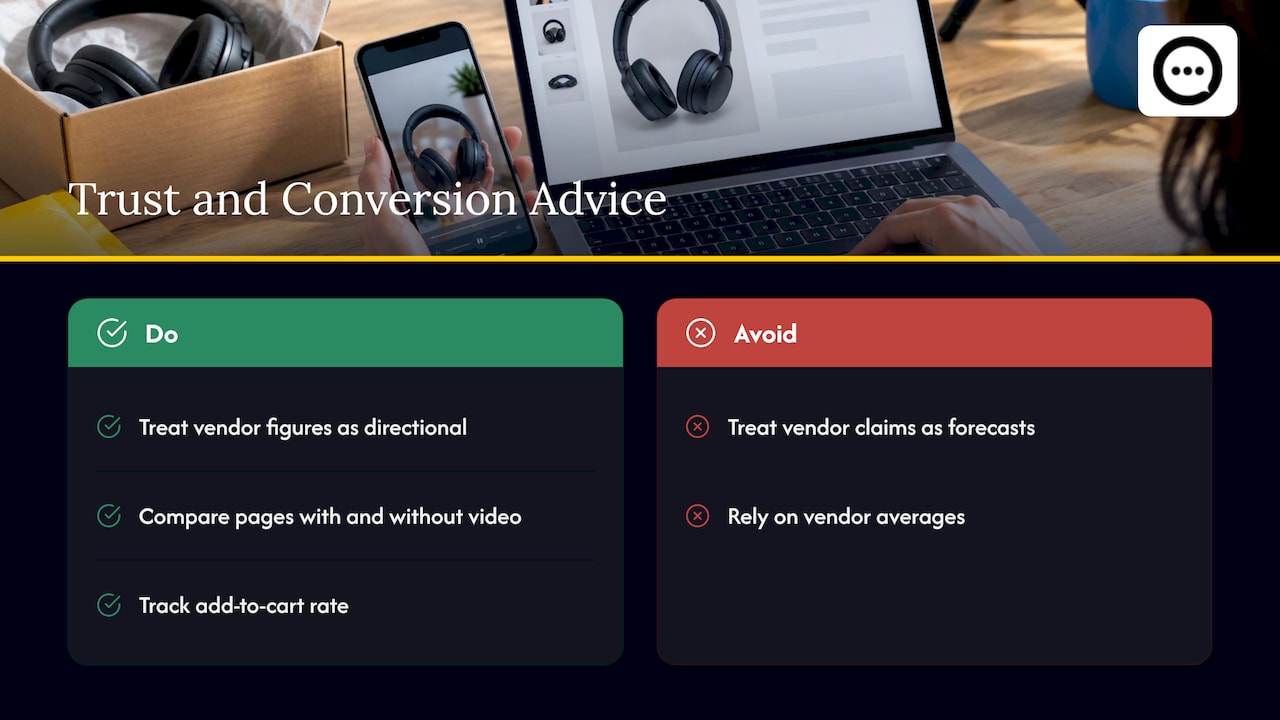
Be careful with claims that video “boosts conversion by X%.” Most of those figures come from vendors measuring their own customers, with no control group. A store owner should treat them as directional, not as a forecast for their own shop.
What you can say with confidence is narrower. Shoppers use video to resolve doubts that text leaves open, and trust depends on shoppers believing the review is real. Our own guide to what the evidence says about reviews and conversions goes through how to read these claims. For a wider look at how reviews feed visibility and engagement, this piece on online reviews and ecommerce SEO covers the trust angle for stores.
Peers does not guarantee sales or SEO results, and no honest review tool should. Run your own test: compare product pages with and without video over a few weeks, and watch add-to-cart rate rather than relying on a vendor’s average.
Does Shopify support video reviews?
Yes, through apps. Shopify’s own review functionality centers on ratings and text, so video collection and display usually come from an app that installs from the Shopify App Store. The setup happens inside Shopify Admin: you add a block to your product page in the theme editor (a theme app block) or switch on an app embed. There is no separate merchant login to maintain and no code snippet to paste into your theme files.
With Peers, you manage the app from inside Shopify, invite customers to share feedback, moderate submitted videos and questions, and publish selected content through theme app blocks or the app embed. For a walkthrough, see our guide to embedding post-purchase video reviews without theme code.
How to run video and text reviews together
Step 1: Keep text as your base layer
Stars and short comments should load first. Shopify documentation notes that themes can render ratings and review counts from standard reviews metafields without waiting for an app script to display the summary. If you use theme code for the summary, map it only to documented Liquid fields.
Step 2: Add video where doubt peaks
Place video reviews near the add-to-cart button or directly under the product description, not buried at the bottom. A clip hidden below the fold gets no views. We cover placement in Stop Hiding Clips Below the Fold.
Step 3: Collect video after delivery
The best time to ask is once the customer has used the product, not the day it ships. Send a post-purchase invitation with a link to record. Peers supports invitations and browser recording, so customers can record from their phone browser without installing anything. Customer-specific invitations can link a review to an order. More on the routine in our practical guide to post-purchase video reviews.
Peers customer uploads have a 150 MB control limit, separate from Shopify’s own product-media limits. Short clips of 15 to 30 seconds fit comfortably and are also what shoppers will actually watch.
Step 4: Moderate before you publish
Review each submitted video and question before it goes live. Publish what is honest and useful, including balanced or critical clips. Removing negative reviews because they are negative can break the FTC rule discussed below.
Step 5: Add Q&A for the questions reviews don’t answer
Some shoppers don’t want a verdict, they want a specific answer: “Does the lid fit the 32 oz bottle?” Moderated Q&A on the product page handles this, and merchant replies can answer the same question for every later visitor. See Shopify Video Q&A.
Keep verification, permission and tracking separate
Three things get confused, and each needs its own handling.
- Purchase verification answers: did this reviewer buy the product? A customer-specific post-purchase invitation can link a review to an order. Public Q&A, replies and merchant recordings are not automatically verified purchases, so don’t present them as such.
- Permission to publish answers: may you show this person’s video? Peers’ standard video permission covers its service and store community, not unrelated advertising or model training. If you want to reuse a clip in ads, get permission for that use. What permission you need depends on context, and a signed release is not a universal GDPR rule.
- Browser tracking consent answers: may your site set analytics or marketing cookies? That is a separate question from review permission and is handled by your store’s consent setup.
A generic packaging QR code needs its own public landing page and a purchase-verification flow. Never print a private customer invitation link or a merchant recording-session link as a public QR code. Our guide to verified video reviews with QR codes covers the safe pattern.
Asking for reviews within the rules
The FTC’s Final Rule on consumer reviews, effective October 21, 2024, prohibits fake or false reviews, sentiment-conditioned review incentives, certain undisclosed insider reviews and review suppression, subject to exceptions. The same summary reports penalties of up to $51,744 per violation. The rule’s text is in the FTC’s published final rule.
Practical habits that follow from it:
- Invite customers using neutral eligibility criteria, such as “ordered in the last 30 days and delivered.” Never invite only those you predict will be happy.
- If you offer a reward, never make it depend on whether the review is positive or negative.
- Disclose incentives clearly next to the review, and check the rules of any platform where you republish the content.
- Keep critical reviews that meet your published moderation standards.
This is general information, not legal advice. For your specific program, ask a lawyer who handles advertising law. Following these habits does not make a store immune from enforcement.
Performance, mobile and accessibility
Video is heavier than text, so plan for it.
- Load conditionally. Shopify’s documentation recommends loading heavy third-party review scripts only where needed, such as on product pages, to avoid render-blocking issues.
- Preview on mobile. Most shoppers will watch on a phone. Check playback on a real device, on both Wi-Fi and cellular.
- Measure. No widget has zero performance impact. Compare your page speed and Core Web Vitals before and after adding video.
- Think about sound. Many shoppers watch without audio, so captions or a short written summary beside the clip help everyone, including viewers who are deaf or hard of hearing.
- Keep clips short. A 15 to 30 second clip is easier for customers to record and for shoppers to watch.
If you want a fuller pre-launch routine, see our guide on publishing video reviews within file limits.
Which should you start with?
If you have no reviews at all, start with text and stars, because volume builds baseline trust. If you already have a steady stream of text reviews and a few products with high return rates or many pre-sale questions, add video to those first. A small set of strong clips on your best sellers does more than a thin video gallery across the whole catalog.

For a side-by-side look at the closely related choice between curated testimonials and collected reviews, read Video Testimonials vs Reviews for Shopify Stores.
Where Peers fits
Peers is a Shopify app for collecting customer video reviews and answering shopper questions on product pages. It does not turn text reviews into videos automatically, so your video library is made of real customers’ recordings.
The plans, as published:
- Free, US$0 per month: moderation, widgets and up to 10 published video reviews per product. Rewards are available on the Free plan too.
- Growth: a 14-day trial, then US$6 per 30-day billing cycle for the first 12 cycles, and US$15 per cycle after that. Growth removes the video-review limit and branding.
You can install Peers from the Shopify App Store and begin on Free, with setup inside Shopify Admin.
Our perspective
Text reviews tell a shopper what other people concluded. Video lets the shopper see the evidence and reach their own conclusion. That is why we built Peers around customers speaking in their own words, on the product page where the decision happens.
We think the most useful review section is honest before it is polished. That means inviting customers by neutral criteria, moderating for relevance rather than sentiment, and publishing the lukewarm clip next to the glowing one. Shoppers can tell when a page is curated to hide anything, and they trust the stores that don’t.
We also think questions deserve the same care as reviews. A shopper asking about a specific detail is close to buying, and a clear answer from the merchant or a past customer removes the last obstacle. Peers keeps Q&A and video reviews in one place inside Shopify so the whole conversation sits together.
Leo
FAQ
Are video reviews better than text reviews?
Neither is better across the board. Text is better for volume, ratings and quick scanning, while video is better for showing fit, scale, color and use. Most Shopify stores do best with both, putting video on the products where shoppers have the most visual or practical doubts.
Can I show video and text reviews on the same Shopify product page?
Yes. Add the text review block for ratings and comments, and add video through theme app blocks or an app embed in the theme editor. Place video near the buy button, then preview both on mobile before publishing.
Do video reviews slow down my store?
They can add weight, and no app has zero performance impact. Load review scripts on product pages only, keep clips short, preview mobile playback and measure speed before and after you publish.
Is it legal to offer a reward for a video review?
In the US, the FTC’s review rule prohibits incentives conditioned on positive or negative sentiment. Offer the same reward whatever the customer says, disclose it clearly, and check the rules of any platform where you reuse the content. For your program, ask an advertising lawyer.
How long should a video review be?
Short clips work best, usually 15 to 30 seconds. They are easier for customers to record and easier for shoppers to watch. Peers uploads have a 150 MB control limit, which short phone clips stay well under.
Sources
- How To Create Testimonial Videos: Best Practices + Examples (Shopify)
- Try Before You Buy (Think with Google, 2017)
- Remove or optimize apps causing render-blocking issues (Shopify.dev)
- FTC Issues Final Rule on Consumer Reviews and Testimonials (Morgan Lewis, 2024)
- Trade Regulation Rule on the Use of Consumer Reviews and Testimonials (FTC)