How to A/B Test Review Widgets on Shopify
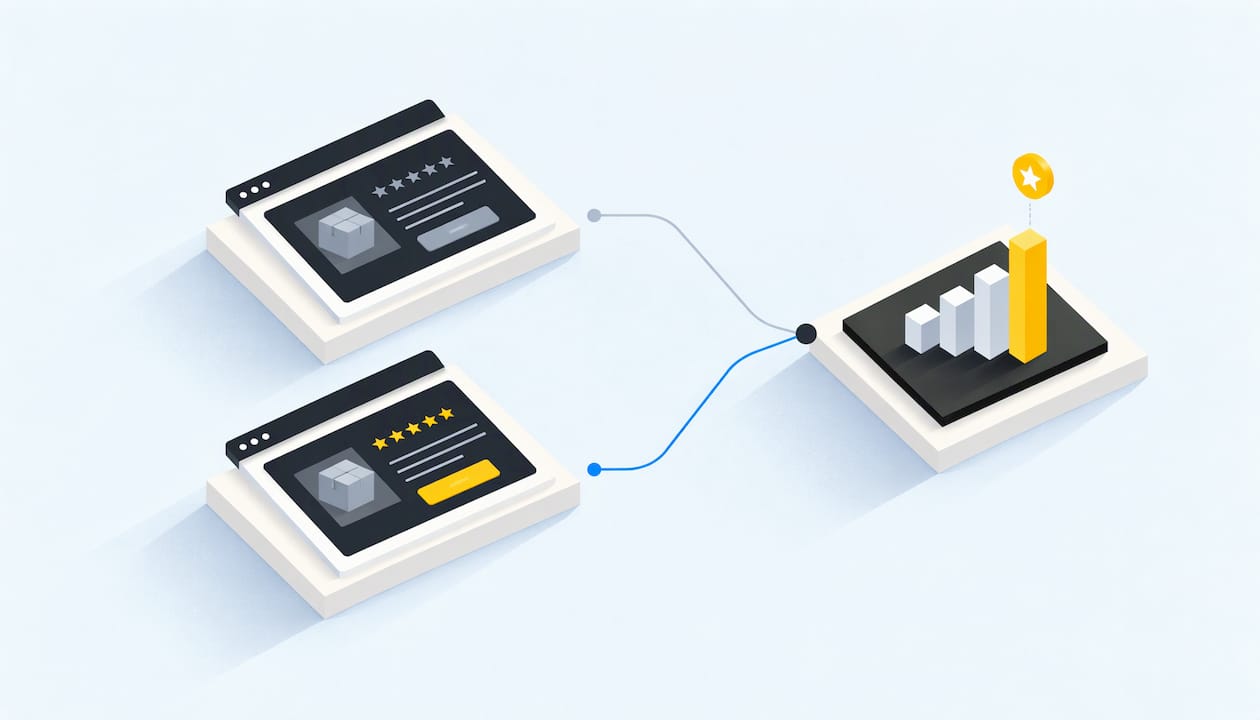
A review widget test is easy to launch and easy to misread. Most bad results come from the same few mistakes: no written hypothesis, several changes at once, too little traffic, and a verdict called early. This guide walks a Shopify store owner through a test you can trust, from the hypothesis to the keep-or-revert decision, and shows where Peers video reviews and shopper Q&A fit into the plan.
TL;DR
- Test one change at a time, such as widget position, and keep the review content identical in both versions.
- Decide the sample size and run time before launch, then do not stop early. Peeking inflates false positives.
- Use revenue per visitor as the main metric where traffic allows, with add-to-cart rate, average order value and page speed as guardrails.
- Small stores often cannot detect small lifts. Test bigger, bolder changes, and treat results as inputs to the next test.
- With Peers, you place video reviews and Q&A through theme app blocks or the app embed in Shopify Admin, so a placement variant is a layout change, not a code project.
Table of Contents
- What a review widget test can and cannot tell you
- Step 1: Write one falsifiable hypothesis
- Step 2: Choose the page and the variable
- Step 3: Size the test before you launch
- Step 4: Set up the split
- Step 5: Pick the metrics, and the guardrails
- Step 6: Do not peek
- Step 7: Read the result and decide
- Keep review content clean, and the test fair
- What to test once placement is settled
- If your store is small
- Perspective
- Try it on your product pages
- FAQ
- Sources
What a review widget test can and cannot tell you
A/B testing splits your visitors randomly into two groups. One sees the current product page (the control), the other sees one changed version (the variant). You compare what each group did.
For review widgets, the changes worth testing fall into three groups:
- Placement: where the star summary, the review list, video reviews or Q&A sit on the page.
- Format: a compact star line, a carousel, a grid, or video review cards.
- Content selection: which reviews appear first, or whether reviews are filtered to the selected variant.
A test tells you what happened on your page with your traffic. It does not tell you why, and it does not carry over to another store without a new test. Published case studies are useful for hypotheses, not for forecasts.
Step 1: Write one falsifiable hypothesis
The most common failure is starting without one. A Shopify testing guide from Conversion.studio separates a vague idea (try a different layout) from a testable one: moving the reviews widget higher will raise add-to-cart rate because visitors currently scroll past it before deciding.
A good hypothesis names four things: the change, the audience, the metric and the reason. For example:
If we move the star summary and a short video review beside the add-to-cart button on mobile, add-to-cart rate will rise, because shoppers currently decide before they reach the review section.
Write it down. It keeps you from reading a win into whichever number happened to move.
Step 2: Choose the page and the variable
Start with the product page that gets the most traffic, ideally the one receiving your ad traffic, so the test reaches its sample size sooner. Then change one variable.
Placement is the cleanest first test. Keep the content identical in both versions and only move it. If you move the widget and also rewrite the headline or swap the reviews shown, you will not know which change did the work.
Placement ideas worth a hypothesis:
- A compact star rating and review count near the product title, versus below the description.
- A short review excerpt or video review near the add-to-cart button, versus only in the lower page.
- Product Q&A placed next to the description, versus at the bottom.
One placement study from a Shopify agency, Witscode’s four-week test across eight stores, reported that a quiet star summary near the top plus a full review list lower down beat the other layouts on five of the eight stores, while a large carousel above the buy box slowed mobile loading and lost. Treat that as one agency’s report on its own clients, not a rule: the outcome varied by store, and your catalog may behave differently. Our guide to review widget placement on Shopify covers where each piece usually belongs.
Step 3: Size the test before you launch
This is where small stores get caught. The smaller the lift you want to detect, the more visitors you need.
The standard settings are 95% confidence and 80% power. Confidence limits how often you declare a winner that is not real. Power is the chance of catching a real effect when one exists. Adobe’s documentation on test duration uses these settings in a worked example: detecting a 5% relative lift from a 5% baseline conversion rate takes 100,000 visitors per version. At 20,000 visitors a day across two versions that is 10 days, which it rounds up to two full weeks to cover day-of-week effects.
Optimizely’s fixed-horizon documentation explains that the required sample depends on your baseline rate, the smallest effect you care about, your significance level and the variance. It also advises running at least one full business cycle, which is seven days. LaunchDarkly’s guidance likewise suggests at least a week, longer where seasonality matters.
What this means in practice:
- Put your real baseline conversion rate and the smallest lift you would act on into a sample-size calculator before launch.
- If the answer is months of traffic, test a bigger change, such as a different page layout or a prominent video review block, rather than a small tweak.
- Run whole weeks. Do not start on a Friday and stop on Wednesday.
- Avoid launching during a sale, a holiday peak or a big ad push unless the test is meant to run through it.
Step 4: Set up the split
A review widget test needs a testing tool that can show two versions of a page and split visitors 50/50. Which tool you use is your decision; the rules are the same for all of them:
- Randomize at the visitor level on first view, so a returning visitor keeps seeing the same version.
- Exclude internal traffic and obvious bots.
- Split and report mobile and desktop separately if you plan to compare them, and set one placement rule per device in advance.
- Hold everything else constant: headline, images, copy and offer.
Where Peers fits is the variant itself. Inside Shopify Admin, you add Peers to a product page through theme app blocks in the theme editor, or through the app embed. Moving a video review block or Q&A block is a layout change in the theme, which is what your variant needs. (How you build the variant inside your testing tool is separate from Peers; Peers does not replace that tool.) Our walkthrough on how to customize a review widget on Shopify covers the design side.
Step 5: Pick the metrics, and the guardrails
A primary metric is the one number that decides the test. Guardrails are the numbers that must not get worse.
Elevate’s testing documentation recommends revenue per visitor as the primary metric for a product page trust test, because it captures the whole funnel, with conversion rate and add-to-cart rate as secondary metrics. Count visitors, not sessions, so a returning visitor is counted once in their assigned group.
If your page gets modest traffic, add-to-cart rate is more practical because it moves more often than orders. Use orders per visitor as a check.
| Metric | Role | What it protects you from |
|---|---|---|
| Revenue per visitor | Primary (where traffic allows) | Wins that raise conversion but shrink order size |
| Add-to-cart rate | Primary on low-traffic pages, otherwise secondary | Slow tests that never reach a sample |
| Average order value | Guardrail | Extra orders that are smaller |
| Page load time and layout shift | Guardrail | A widget that slows or shifts the page |
| Click-through to full reviews | Diagnostic | Not knowing whether shoppers used the moved content |
| Returns | Guardrail where relevant | Orders that come back |
The returns guardrail matters more than it looks. A social proof testing guide from Donnuab describes a fashion store test where orders rose 8.8%, but most of the extra orders were returned within 30 days and the kept-order lift was not significant. It is one company’s worked example, but the lesson is general: for products with fit or quality questions, schedule the final read after your return window.
Watch speed on mobile
Review tools often load their content after the rest of the page. A widget moved higher can push the buy button down as it appears. Reserve space for it, preview mobile playback of any video content, and compare load time between versions. Peers does not promise zero performance impact, so measure it on your own theme rather than assuming.

Step 6: Do not peek
Checking a running test and stopping the first time it shows 95% confidence is the fastest way to ship a false winner. Adobe’s documentation warns that monitoring a test until significance appears inflates the false-positive rate, and Optimizely advises avoiding mid-test peeks for the same reason. Nudgify’s social proof report cites academic work on this and says repeated checking can push the real error rate far above the nominal 5%. It also states plainly that its own lift figures come from comparing high-reach and low-reach days, not from controlled tests, which is a fair reminder to hold your own test to a stricter standard.
The rule is simple. Write the sample size and end date in the test plan. Look at health checks (is the split even, is the widget rendering) but do not read results until the plan says so.
Step 7: Read the result and decide
When the planned sample is reached, compare the primary metric with its confidence interval, then check the guardrails and the device split you named in advance. A decision table keeps this honest:
| What you see | What to do |
|---|---|
| Variant wins on the primary metric and guardrails hold | Ship it and log the result |
| Variant wins conversion but order value falls | Keep the current layout, or test a refined version |
| Variant is slower on mobile | Fix loading, then re-test |
| Difference is inside the noise | Keep whichever version fits your design system and move on |
| A variant gets more clicks but fewer purchases | It is not a winner. Read the primary metric only |
A null result is a result. A Product Philosophy compendium of field tests reports that for established brands, the typical measured lift from a single trust signal is small, with frequent null results. It is one practitioner’s synthesis, so read it as a reason to plan for modest effects, not as a benchmark for your store.
Also keep in mind that placement tests interact. The winner of your star-position test is the starting point for the next test, such as a review excerpt beside the button, not the final layout.
Keep review content clean, and the test fair
Three separate questions come up whenever reviews are part of an experiment. Keep them apart:
- Purchase verification: whether a review is tied to an order. With Peers, a customer-specific post-purchase invitation can link a review to an order. Public Q&A, replies and merchant recordings are not automatically verified purchases.
- Permission to publish: whether the customer agreed to have their video shown. Peers’ standard video permission covers its service and store community, not unrelated advertising or model training. What permission you need depends on context, and a signed release is not a universal rule in every jurisdiction.
- Browser tracking consent: a separate matter that governs analytics and testing scripts, not the reviews themselves.
If you offer rewards to get reviews, do not tie them to positive or negative sentiment, disclose the incentive, and check the rules of any platform where the content appears. Peers supports invitations and browser recording, and Rewards are available on the Free plan too. Invite customers using neutral criteria, such as a completed order, never a guess about who will be satisfied. This is merchant practice rather than a guarantee of legal compliance, so check the rules that apply to you.
For the test itself, keep the review pool identical in both versions. Changing the reviews shown is a different test, and running it alongside a placement test confounds both.
What to test once placement is settled
After a placement winner, test content and format one step at a time:
- Video review versus text excerpt near the add-to-cart button. Our comparison of video and text reviews on Shopify frames the hypothesis.
- Q&A visibility: whether answered shopper questions near the description reduce hesitation on products with common pre-purchase doubts.
- Variant-matched content: showing reviews that match the selected size or option. Witscode reported a gain on configurable products, again as one agency’s result.
- Rating display rules: whether to show the star aggregate on products with very few reviews. Test it, because a low count can read as weak proof.
For wider reading on how review placement and ratings affect sales, see research on review-driven e-commerce sales. Our own summary of what the evidence says about reviews and conversions is a good companion for setting realistic expectations.
If your store is small
Many Shopify stores will not reach a clean sample in a few weeks. That does not mean you cannot improve the page; it means you should change how you test.
- Test large changes, not small ones. Adding a video review block where none existed is a bigger signal than moving a star line by a few pixels.
- Use add-to-cart rate as your primary metric and orders per visitor as the guardrail.
- Run a longer test with a fixed end date, and accept that some tests will end inconclusive.
- Pre-post comparisons are weaker than a split test. If you use one, say so in your notes and treat the result as a hint.
Bigger stores can chase small lifts. Smaller stores should chase bigger differences, and let the sample size say which one you are.
Perspective
Most review widget tests we see described go wrong before launch, not after. The page changes, the sample does not support the claim, and the story gets written around whichever number moved.
Our view is that the review itself should do more of the work before you start measuring placement. A shopper judging a product wants to see a real person using it, and to get an answer to the question they actually have. That is why Peers focuses on customer video reviews and moderated shopper Q&A on the product page: content that answers product-specific doubts, rather than a bare star count.
The practical advice we give a merchant is to make one change, write the hypothesis, size the test, and read it once. Preview mobile playback, measure speed, and keep the review content identical between versions. We do not promise a lift from any placement. We think a store that tests this carefully learns something real either way.
Leo
Wait
Try it on your product pages
Peers is a Shopify app for collecting customer video reviews and answering shopper questions on product pages. You collect and moderate submissions in the app, then publish selected content with theme app blocks or the app embed, all inside Shopify Admin.
The Free plan costs US$0 per month and includes moderation, widgets and up to 10 published video reviews per product. Peers Growth has a 14-day trial, then costs US$6 per 30-day billing cycle for the first 12 cycles and US$15 per cycle after that. Growth removes the video-review limit and Peers branding. You can start from the Peers listing in the Shopify App Store.
Customer uploads have a 150 MB control limit in Peers, separate from Shopify’s own product-media limits. If you plan to put a QR code on packaging, note that a generic packaging QR needs a separate public landing page and a purchase-verification flow. Never publish a private customer invitation link or a merchant recording-session link as a public QR. Our guide to collecting video reviews from QR code to product page shows the supported path.
FAQ
How long should I run a review widget A/B test?
Long enough to hit the sample size you calculated before launch, and never less than one full week. Adobe’s worked example rounds a 10-day requirement up to two full weeks, and many Shopify stores need two to four weeks. Stop on the planned date, not when the chart looks good.
Which metric should decide the winner?
Revenue per visitor is the best primary metric when your traffic supports it, because it reflects both conversion and order size. If your page gets limited traffic, use add-to-cart rate and check orders per visitor, average order value and page speed as guardrails.
Can I test Peers video reviews against my current widget?
Yes, as a layout test. You place Peers through theme app blocks or the app embed in Shopify Admin, then compare the two versions in your testing tool. Keep one variable different, preview mobile playback, and measure load time for each version.
Does a winning placement guarantee more sales?
No. A win means that version performed better on your page, with your traffic, in that period. Results vary by store and product, and an effect can shrink on re-test, so log the result and test the next idea.
Sources
- Shopify A/B Testing: Tools, Setup, and What to Test
- Where to Place Product Reviews: A/B Test Results
- How Long Should I Run an A/B Test? (Adobe Target)
- Frequentist (Fixed Horizon) statistics (Optimizely)
- Experiment sample size and run time (LaunchDarkly)
- Testimonial Carousel on Product Pages: A/B Test (Elevate)
- Social Proof A/B Testing: What to Test and How to Measure
- What 30,000 Shopify Stores Taught Us About Social Proof
- Trust Signals and Their Measurable Lift: A Field-Test Compendium
- Leveraging Online Reviews to Boost E-Commerce Sales