Post-Purchase Q&A Prompts for Shopify: What to Ask and When

A good post-purchase Q&A prompt is a short, specific question sent after the customer has used the product, and it is built so the answer can help the next shopper. Ask about fit, real-world use and surprises, send it a few days after delivery, and publish the best answers on the product page with permission. Below are the prompts, the timing, the channels and the moderation rules.
TL;DR
- Ask about use, not satisfaction: “What do you wish you had known before buying?” beats “How was your order?”
- Send the first prompt after delivery, once the customer has had time to try the product, not at checkout.
- Pick one question per message and tie it to the exact product the customer bought.
- Get permission before you publish, and moderate out names, addresses and order numbers.
- Turn repeat answers into better product copy, and keep every claim you add verifiable.
Table of Contents
- What post-purchase Q&A prompts are
- The prompts worth sending
- When to send them
- Which channel to use
- A simple flow you can set up this week
- Permission, privacy and moderation
- Turning answers into better product pages
- Mistakes that waste a good prompt
- Our perspective
- Put post-purchase Q&A on your product pages
- FAQ
- Sources
What post-purchase Q&A prompts are
A post-purchase Q&A prompt is a question you send to a verified buyer after the order arrives. The answer is useful to you (product feedback) and, if the buyer agrees, to the next visitor on the product page.
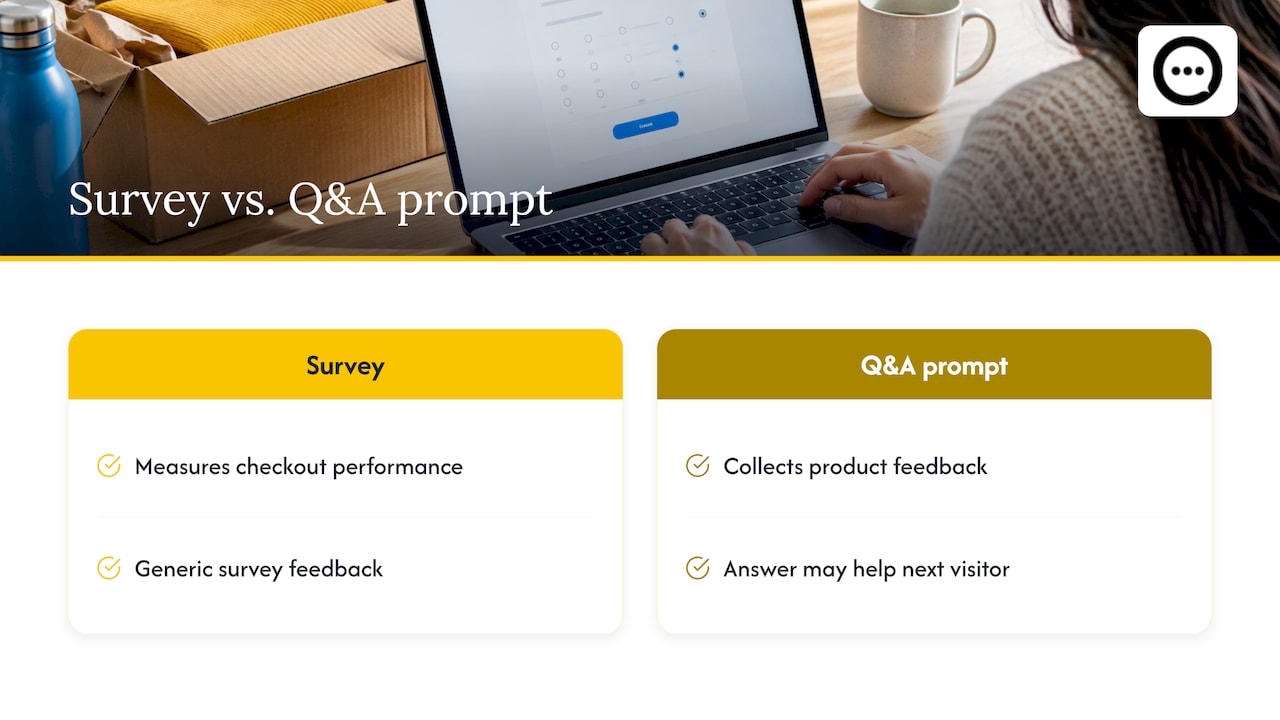
That second use is what separates a Q&A prompt from a generic survey. A survey tells you how your checkout performed. A Q&A prompt produces a sentence like “The medium runs small if you have broad shoulders,” which a hesitant shopper can read in ten seconds and act on.
Shoppers already ask questions before buying. If you want to see what those look like, our guide to what shoppers ask before purchase is a good companion. Post-purchase prompts are the other half of the loop: the people who have the answers are the people who already bought.
The prompts worth sending
Group prompts by the job they do. Pick two or three per product, not all of them.
Fit, size and compatibility
These answer the questions that stop the most purchases.
- “What size did you order, and how does it fit you? (Height and build help.)”
- “Does it work with [device, model, skin type, room size]? Tell us what you paired it with.”
- “Was the color or material what you expected from the photos?”
Real-world use
- “How are you using it day to day?”
- “How long did it take before you noticed it working for you?”
- “What is the one thing you would tell someone about to buy this?”
Hesitation and decision
These reveal what almost stopped the buyer, which is exactly what stops the next one.
- “What nearly kept you from ordering?”
- “What did you compare this with, and why did you choose it?”
- “What do you wish the product page had told you?”
Setup and care
- “Was anything confusing during setup or first use?”
- “What tip would you give a first-time user?”
Open invitation for video
Video works well for products that need to be seen or handled. A short ask: “Show us how it looks or works in your home, 30 seconds is plenty.” We cover the full process in our practical guide to post-purchase video reviews.
Prompt rules that raise answer quality
- One question per message. Two questions usually get one answer.
- Name the product. “How is your trail jacket holding up?” outperforms “How is your order?”
- Ask for a detail. “What size, and how does it fit?” produces something another shopper can use.
- Make the answer easy. A reply to an email or a single tap-through link beats a long form.
- Never steer toward praise. “Tell us what you think” is honest. “Tell us how much you love it” is not.
When to send them
Timing depends on the product, because the customer can only answer once they have used it.
| Product type | Suggested first prompt | Follow-up |
|---|---|---|
| Apparel, shoes | 5 to 7 days after delivery | After the first wash or a few weeks of wear |
| Home goods, electronics | 7 to 10 days after delivery | After a month of use |
| Skincare, supplements | 2 to 4 weeks after delivery | At the end of the first bottle |
| Consumables (food, coffee) | 3 to 5 days after delivery | Optional, at reorder time |
| Gifts or seasonal items | After the occasion | None |
These windows are our working guidance, not a universal rule. Use your own delivery data and adjust: if most returns happen in the first ten days, ask early enough to catch a sizing problem while it is still fixable.
Do not ask at checkout. The customer has not received anything yet, so the only honest question is about the buying experience, and that is a survey, not Q&A.
Which channel to use
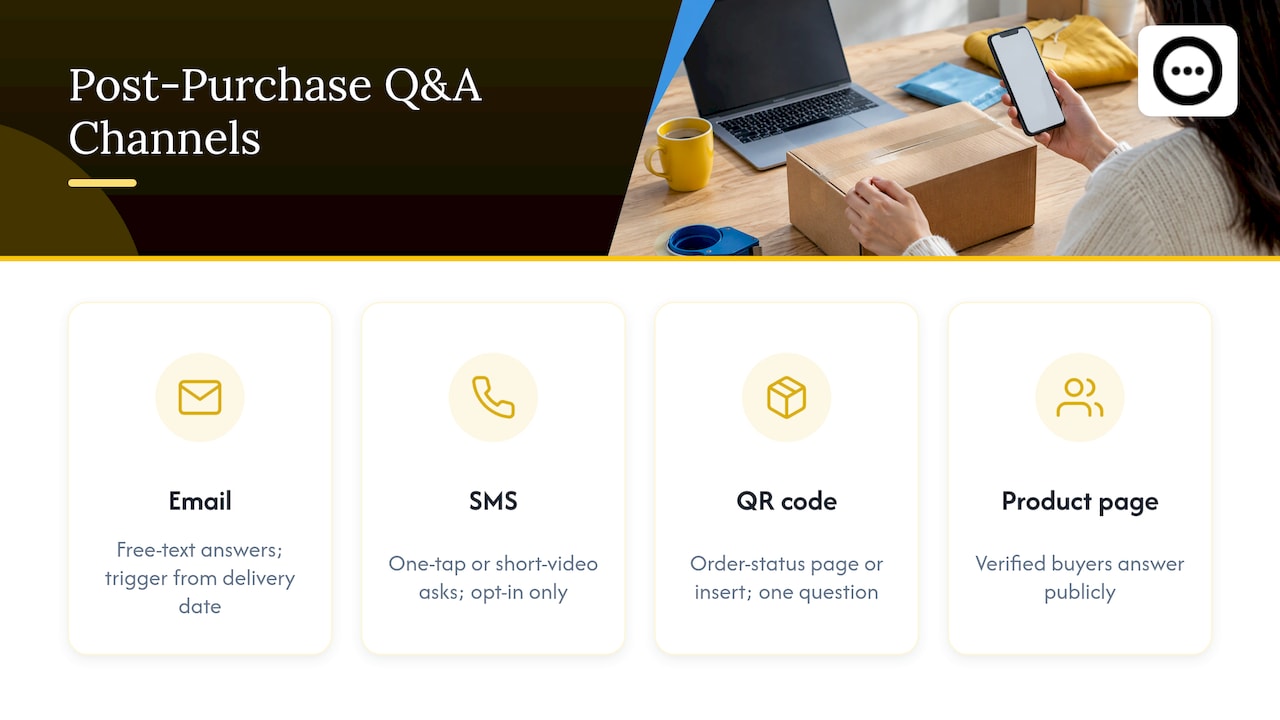
Email is the default. Shopify’s order and shipping data lets you trigger a message from the delivery date, and email handles a free-text answer well. If you are building the flow from scratch, this overview of email flows every Shopify store needs covers where a post-purchase message sits among the others.
SMS suits a one-tap ask or a short video request, but only for customers who opted in to texts.
The order status page and packaging inserts work for a QR code that leads to a single question. Response is lower, but the people who answer are motivated.
The product page itself is where the answers should end up. A widget that lets verified buyers answer shopper questions publicly keeps the whole exchange in one place. Our walkthrough on adding product Q&A on Shopify without theme edits lists the options.
One caution on channels: keep marketing and feedback requests separate. A message that asks for an answer and also pushes a discount code on a related product muddies why you are writing. The ICPEN guidelines for review administrators say commercial content should not be presented in a way that confuses it with genuine reviews, according to ICPEN’s guidance.
A simple flow you can set up this week
- Pick your top five products by traffic or return rate. Start where hesitation costs the most.
- Write one fit or use prompt per product. Use the lists above and swap in product details.
- Trigger the email from the delivery date, using the delay in the table.
- Ask permission in the same message. Add a clear line: “May we show your answer on the product page?” Keep it as a separate choice from the answer itself.
- Moderate before anything goes live. Remove personal details and off-topic content.
- Publish the answers where shoppers decide, next to the add-to-cart area rather than at the bottom of the page.
- Review monthly. Look for repeated questions and update the product copy.
Permission, privacy and moderation
What a customer says in reply to your prompt is not automatically yours to publish. Ask first, say plainly where it will appear, and let people say no without losing anything. Our guide on publishing Q&A with consent lays out three practical approaches.
Moderate every answer before publishing:
- Strip full names, addresses, phone numbers and order numbers. Moderating published reviews to keep addresses and order numbers out of the text is standard guidance, for example in this overview of legal requirements for store reviews, written for Russian stores but sensible anywhere you collect personal data.
- Publish negative answers that are honest and on topic. UK government guidance says reviews should be presented so they do not distort the overall picture, and that positive and negative reviews should face checks of appropriate rigor, per GOV.UK guidance for review sites.
- Do not pay or reward people to change or remove negative feedback. ICPEN’s guidelines say this compromises the integrity of a review system.
- Publish short terms explaining how answers are collected, moderated and published.
If you sell in the US, the FTC finalized a rule in August 2024 that bans fake reviews and testimonials and lets the agency seek civil penalties against knowing violators. In practice: answers should come from real buyers, and you should never write them yourself. For a workflow built around that, see our six-step moderation process for video reviews. Public Q&A also attracts junk, so preventing Q&A spam is worth setting up on day one.
The FTC rule and the other guidance here describe general principles, not advice for your situation. If you run incentive programs or sell regulated products, talk to a lawyer who handles advertising law.
Turning answers into better product pages
The real payoff is not the answer itself but the pattern across answers.
- Find gaps. If five buyers mention the sleeve length runs long, your size chart is missing something. Customer Q&A and reviews are a reliable way to spot missing or conflicting product information, as a listing audit guide points out.
- Keep it consistent. The title, description, Q&A and reviews should agree with each other. If a buyer says a battery lasts eight hours and your page says twelve, fix one of them.
- Verify before you add a claim. A customer’s experience is an anecdote. Before you turn “it cured my back pain” into copy, check what you can actually support. Quote the customer as a customer, and keep your own copy to what you can verify.
- Answer the question where it was asked. Public replies from you and from verified buyers teach the next visitor something. See how instant answers and public video replies work in practice.
Customer reviews and questions also feed search visibility. This piece on how online reviews affect ecommerce SEO explains why fresh, specific customer language on the page is worth the effort.
For how the numbers connect, shopper questions and conversion goes through what tends to work, and our Q&A strategy for Shopify shows how to organize it across a catalog.
Mistakes that waste a good prompt
- Asking too early. The customer cannot describe a product they have not touched.
- Using the same prompt for every product. A sofa and a lip balm raise different questions.
- Burying answers. Q&A and clips that sit below the fold are rarely seen. We cover this in video review rollout on Shopify.
- Sending a long form. Every extra field costs responses.
- Cherry-picking. Publishing only the glowing answers erodes trust faster than any negative one.
- Never closing the loop. If a buyer flags a problem, reply. The reply is also visible content for everyone else.
Our perspective
We built Peers on a simple observation: the best salesperson on a product page is a customer who already bought it. Shoppers hesitate because they cannot tell what a product is like in real life, and a polished description does not settle that. A verified buyer answering a question in their own words, ideally on video, does.
That is why we focus exclusively on Shopify and on post-purchase content. Our approach is designed around live Q&A between shoppers and verified customers, shown directly on the product page, with full moderation and customizable design so it fits your theme instead of fighting it. The prompts in this article work with any method, but they work best when the answer lands where the next shopper is deciding.
Our advice: start small. Pick one product, one prompt and one send time. Read the first twenty answers. You will learn more about your product page from them than from another round of copy edits.
Leo
Put post-purchase Q&A on your product pages
If you want the answers to appear next to your add-to-cart button without custom development, Peers is a Shopify app that embeds post-purchase video reviews and shopper Q&A on product pages, with moderation tools, mobile support and engagement analytics. It has a free plan, and the Peers Growth plan is 15 USD per month. You can install Peers from the Shopify App Store.
Start with your highest-traffic product, send one prompt from the lists above, and publish the first approved answers.
FAQ
What is a good first post-purchase question?
“What do you wish you had known before buying?” works for almost any product. It draws out sizing, setup and expectation details that other shoppers need. Send it after delivery, once the customer has used the product.
How long after delivery should I ask?
For most physical goods, a few days to a week after delivery is a sound starting point. Products that take time to show results, such as skincare, need a few weeks. Check your own return and delivery data and adjust.
Do I need permission to publish a customer’s answer?
Ask for it, and ask separately from the answer itself. Say where the answer will appear and let people decline. Remove names, addresses and order numbers before publishing, and consult a lawyer if you are unsure about rules in your market.
Should I publish negative answers?
Yes, when they are honest and on topic. Official guidance on review sites stresses presenting feedback in a way that does not distort the overall picture. Replying helpfully to a critical answer also shows prospective buyers how you handle problems.
Can I write the answers myself?
No. Answers published as customer content should come from real, verified buyers. In the US the FTC’s 2024 rule prohibits fake reviews and testimonials, so keep your own voice in clearly labeled store replies.
Sources
- ICPEN guidelines for review administrators
- GOV.UK guidance for online review sites
- FTC final rule banning fake reviews and testimonials
- How to audit listings in 4 steps